Ansible Roles
What is Ansible?
Ansible is a configuration management system written in Python using a declarative markup language to describe configurations. It is used to automate software configuration and deployment.
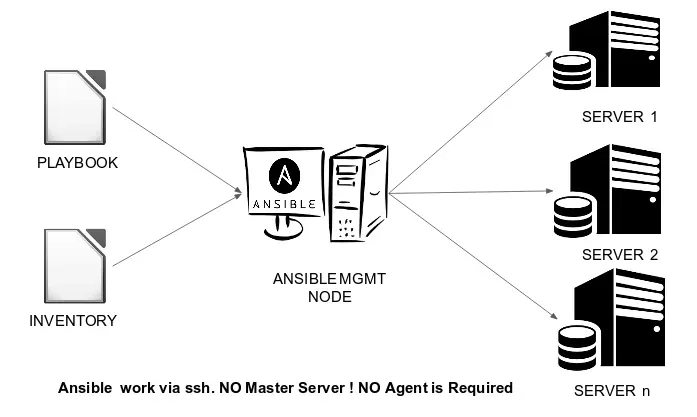
Ansible Architecture :
Ansible Playbooks :
Ordered lists of tasks, saved so you can run those tasks in that order repeatedly. Playbooks can include variables as well as tasks. Playbooks are written in YAML and are easy to read, write, share and understand.
Inventory :
A list of managed nodes. An inventory file is also sometimes called a “hostfile”. Your inventory can specify information like IP address for each managed node. An inventory can also organize managed nodes.
Control Node:
Any machine with Ansible installed is known as controller node. You can run Ansible commands and playbooks by invoking the ansible or ansible-playbook command from any control node. You can use any computer that has a Python installation as a control node - laptops, shared desktops, and servers can all run Ansible. However, you cannot use a Windows machine as a control node. You can have multiple control nodes.
Managed Node:
The network devices (and/or servers) you manage with Ansible. Managed nodes are also sometimes called “hosts”. Ansible is not installed on managed nodes.
What is Ansible Roles ?
Roles let you automatically load related vars_files, tasks, handlers, and other Ansible artifacts based on a known file structure. Once you group your content in roles, you can easily reuse them and share them with other users.
Let’s understand practically!

-
Inventory file:

-
Ansible Configuration File :

-
Create an ansible role “myapache” to configure httpd WebServer.
ansible-galaxy role init myapache- Create another ansible role “myloadbalancer” to configure HAProxy LB.
ansible-galaxy role init myloadbalancer- Here, you can see two roles created :
ansible-galaxy role list --roles-path /root/

Now writing roles :
- In myapache role, a) In tasks ;
- name: “Installing Apache Software” package: name: “{{ software_name }}”- name: “Copying Webpages..” copy: src: “/root/myapache/files/my.php” dest: “/var/www/html” notify: “Restart Services”- name: “Starting Service” service: name: “{{ software_name }}” state: startedb) In vars ;
software_name: httpdc) In handlers ;
- name: "Restart Services" service: name: "{{ software_name }}" state: restartedd) In files ;
<!DOCTYPE html><html> <body> <h1>Task Completed Successfully !!!!</h1> <pre><?phpprint `/usr/sbin/ifconfig`;?></pre> </body></html>- In myloadbalancer role, a) In tasks ;
- name: "Installing {{ software_name }}" package: name: "{{ software_name }}"- name: "Configuration File" template: src: "/root/myloadbalancer/templates/haproxy.cfg.j2" dest: "/etc/haproxy/haproxy.cfg" notify: "Restart Services"- name: "Starting Services" service: name: "{{ software_name }}" state: startedb) In vars ;
software_name: haproxyport: 8080c) In handlers ;
- name: "Restart Services" service: name: "{{ software_name }}" state: restartedd) In templates ;
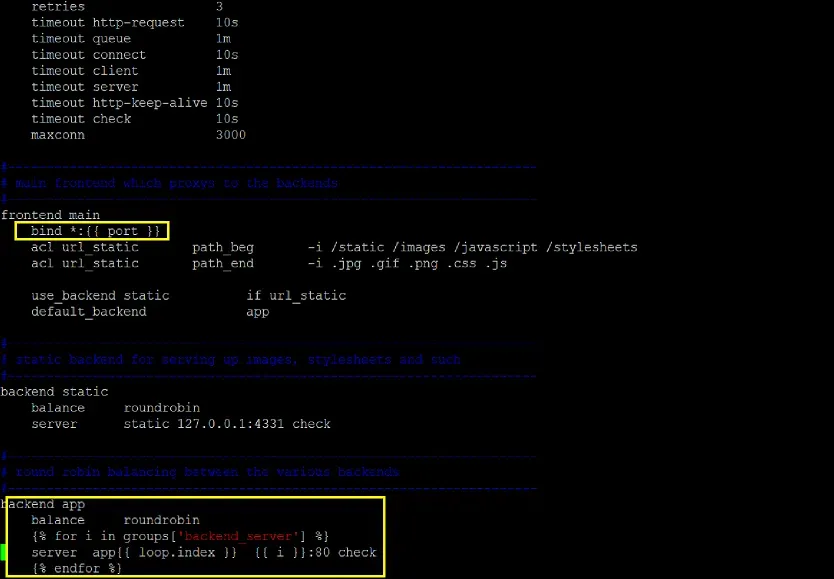
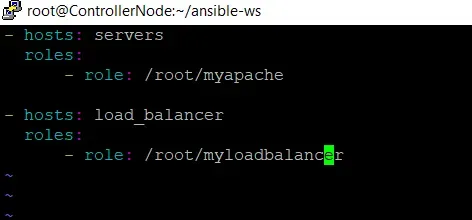
We need to combine both of these roles controlling webserver versions and solving challenge for host ip’s addition dynamically over each Managed Node in HAProxy.cfg file.
- In main playbook setup.yml ,
Now running the playbook ,
ansible-playbook setup.yml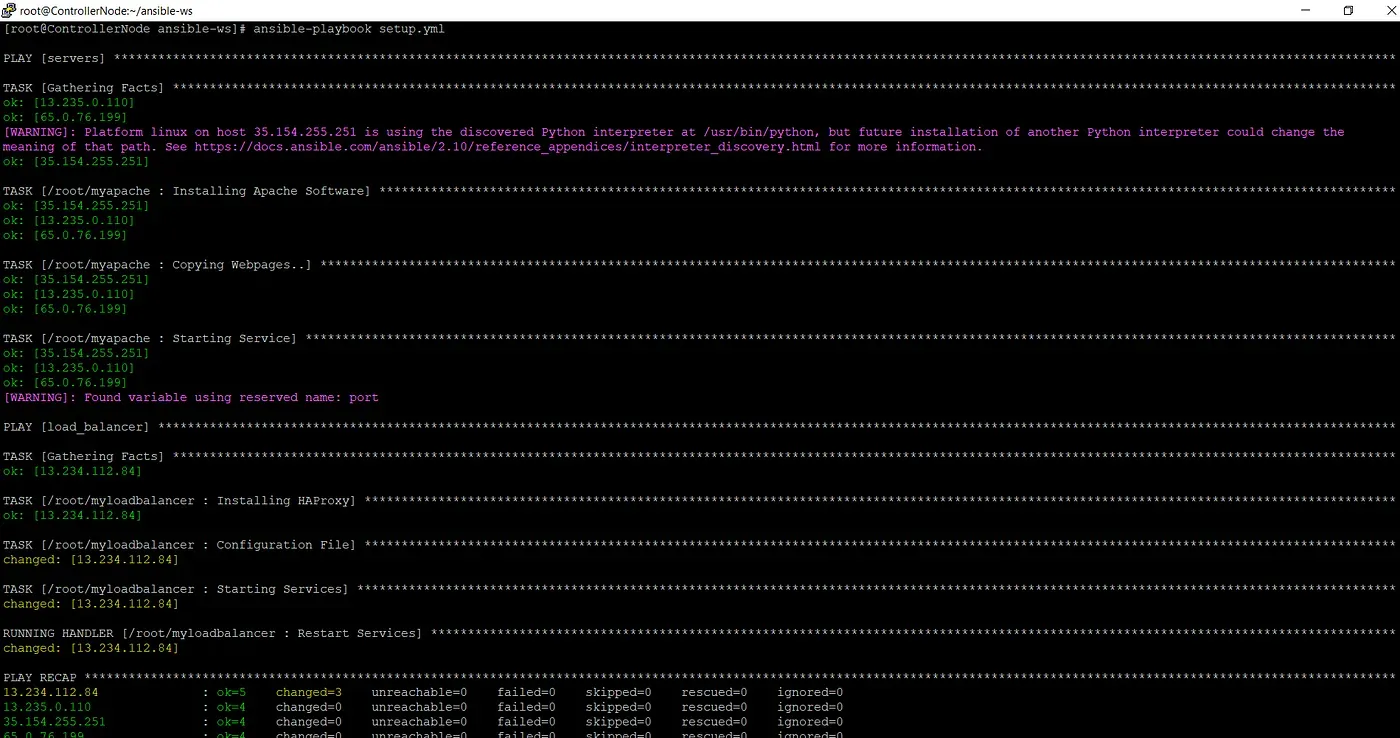
- In Haproxy Configuration File we can see that ip’s are added dynamically over managed nodes ;

- Now to check on browser :
http://<loadbalancer_ip>:<port_no>/<web_page>.html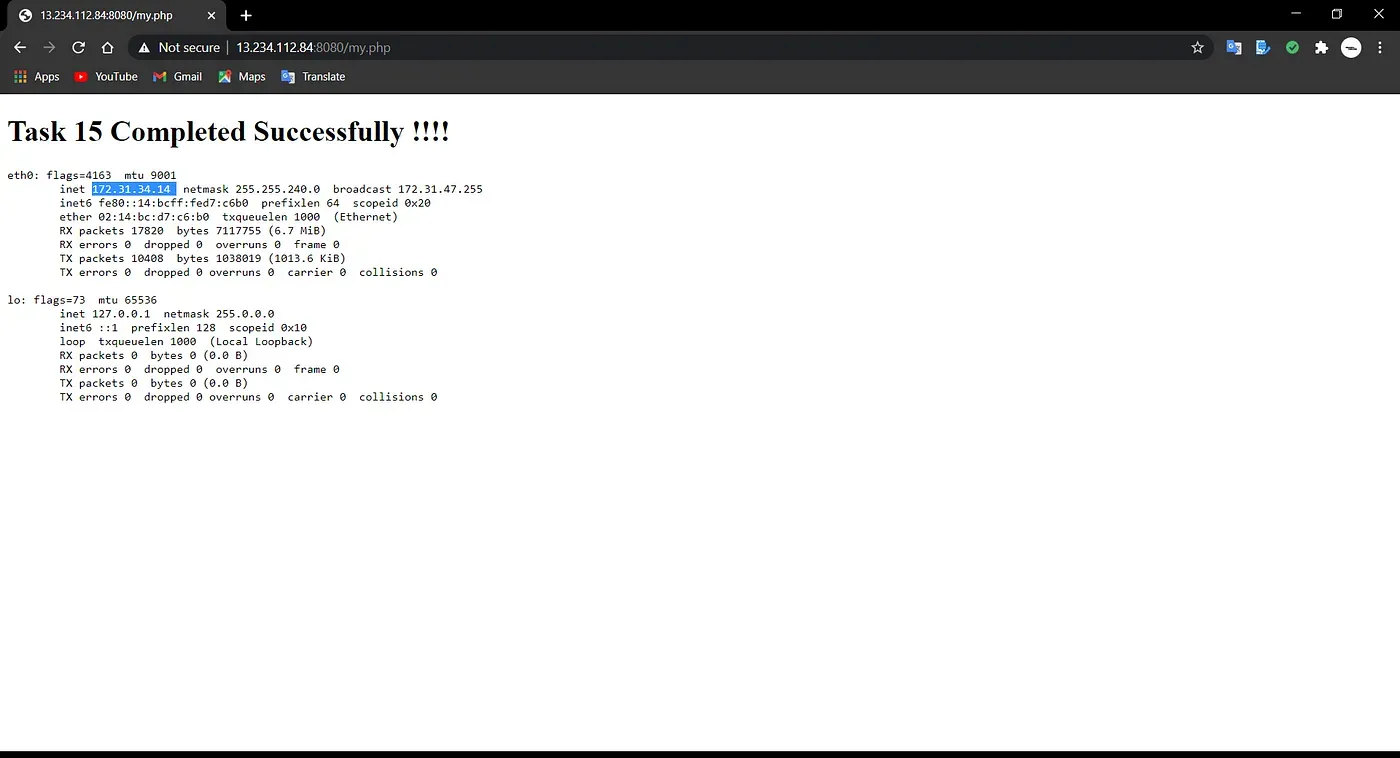
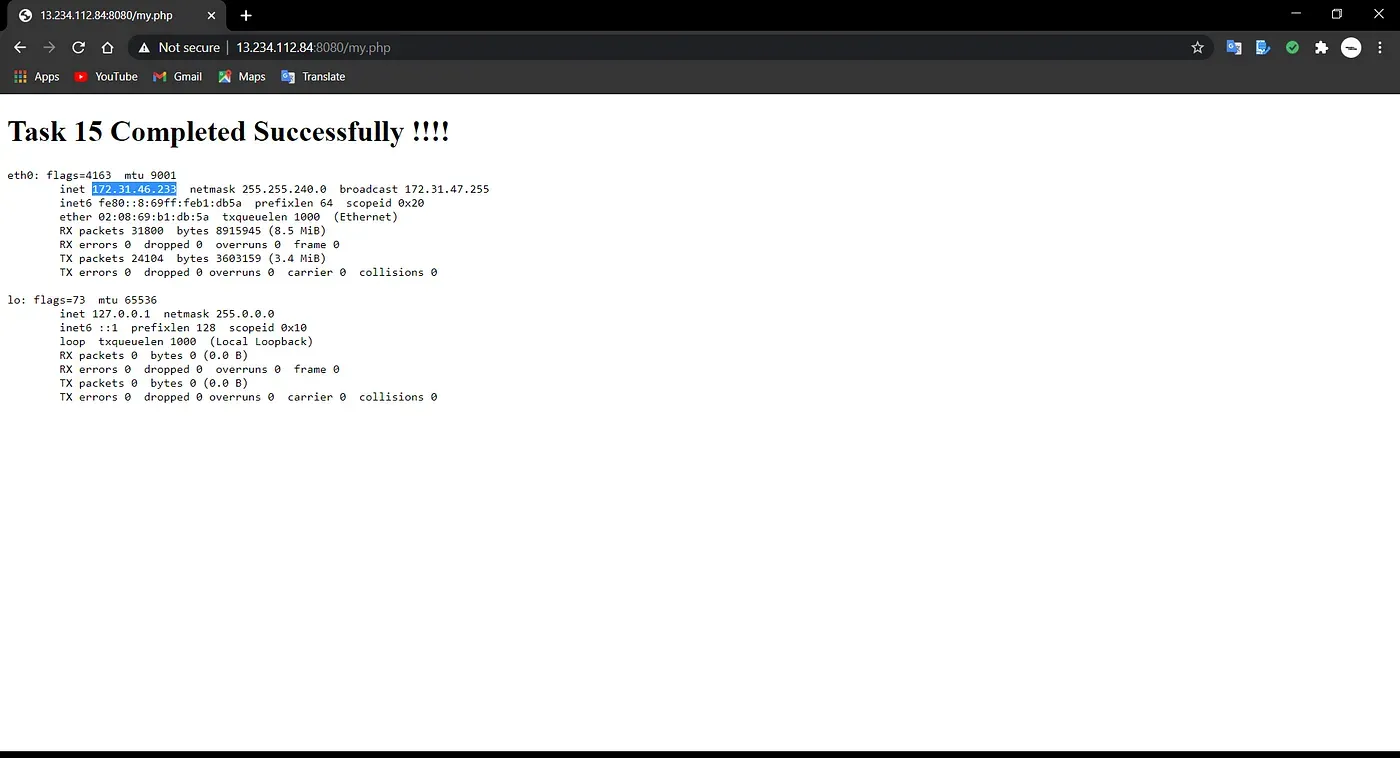
- GitHub URL : code
...
Further Reading
- The Lazy Solution! 02.May.2025
- Debugging Pandas Unexpected Type Conversion 07.Feb.2025
- Part-2 More about Docker 27.Feb.2023
...